



Posts Tagged ‘adobe’

Design 101 – Justified Type

Tuesday, September 7th, 2010

A short tutorial on the “why” of “Full Justification” versus “Rag Right”

The biggest question you must ask yourself is “form or function?” When setting up text heavy documents, is the look more important that the readability? Is there a best case scenario in this artistic compromise? Quite a few designers LOVE to use full justification when even if the readability suffers greatly. I have a few example screen shots which I will discuss briefly below.

First off, we have a four column layout with text set to full justification. You can clearly see the odd spacing on some lines between words. Some of this can be adjusted to look a little better with tracking and kerning but that can lead to more problems with the first revision. This type of narrow column becomes very hard to read when set to full justification.

Suggest: Wider columns or rag right text

The image below is three columns set to full justification, its better than the 4 column layout as most of the text does not have the large spaces between words that makes it difficult to read, but as you can see where the text wraps around the picture you still get the hard to read spacing.

Suggest: Moving the photo or making text rag right

Below is a better option, although beauty (in typesetting) is in the eye of the beholder, I think a “rag right” setting makes the text much easier to read and maintains an overall better look with narrow columns.

Suggest: Looks pretty good but I would still think about wider columns to add legibility

If you must have “justified text” find a column width that works well with automatic word spacing as seen below, the larger the column the better your text will automatically flow, so make adjustments to your layout as needed to achieve the best look and readability possible.

Suggest: perhaps playing around with different options for image placement, but the text readability and overall look are both good

So many designers today don;t seem to pay attention to the details like typesetting. The usage of Kerning, tracking, leading and all the other options available to todays designers should be used with fervent zest! Once you have your design completed bring it on over to PGprint and see just how economically we can print your new work of art!

Christopher Robinson

Brochure Tutorial – Trifold

Wednesday, August 25th, 2010

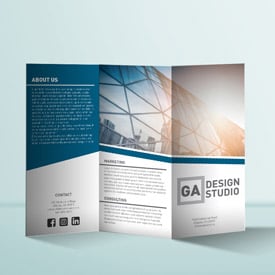
A Short Tutorial on Building a Trifold Brochure

Good trifold brochure design starts by beginning with a good solid foundation, in this case making sure your margins and folds are set up properly before even beginning the design and layout stage. We supply a wide variety of templates you can use to set up your own collateral material before submitting it for printing. Doing this step first will ensure your job will fly through production without a hitch on the technical side! Aside from that, image resolution and making sure you have bleed will keep you covered! Check out the tutorial below for an overview on the basics of brochure design!

Brochure Design - PGprint.com
Runtime
5:15
Views
66

Ready to print you brochure? Check out our Online brochure printing at PGprint!

Christopher Robinson

CS5 launch Event on Adobe’s Website

Monday, April 19th, 2010

Adobe Posts Launch Event Video for CS5

This is an hour long video produced by Adobe showcasing CS5 and new features. The software looks pretty amazing to me. They cover many new added features and new apps. I was even more amazed than when I watched the content aware filter. Quite a few items I don’t think I will ever use. They hit many capabilities and review the hot new additions including: Design, video production, web, photography, etc.. Information on the new Flash engine is also discussed as well as several other new helper apps such as “CS live online service.”  It is all amazing, the technology advances from my early days using Photoshop version 2 to the current (shipping mid-May) CS5 have advanced beyond what I would have thought even possible. Online Review seems to be one of the most interesting concepts to me, soft proofing over the web… Check it out on Adobe’s site [HERE]

Christopher Robinson
Need some CS5 training? Check out the short tutorials going up in the blog!

Designing for Booklet Printing

Wednesday, April 14th, 2010

Print Booklet Design

This is a brief tutorial on print booklets design by PGprint.com. booklets printing can be created in InDesign, we show how to set up a multipage document properly for color booklet printing. Our booklet printing services will in conjunction with this video tutorial will provide you with a huge head start on the setup process.

Print Booklet Design - PGprint.com
Runtime
7:42
Views
857

Christopher Robinson

Check out our Booklet Printing Service after finish your first multipage project.

Photoshop CS5 Content-Aware Fill Sneak Peek

Thursday, March 25th, 2010

Photoshop CS5 has posted up a sneak peak of the new content aware fill. It is pretty amazing, what would take hours to do manually is now done in seconds through new filter enhancements. The video here shows the depth that this new gem goes in removing small and/or large items from an image.  This new filter allows you to select an area, hit the delete key and Photoshop will analyze the area surrounding your selection and fill it automatically. From the video it seems you can see a tad of artifacting but that can be fixed quickly. Can’t wait to get my hands on it.

Adobe Photoshop CS5: Content-Aware Fill Sneak Peek
Runtime
5:07
Views
3,670,707

The YouTube video is narrated by Bryan O’Neil-Hughes who is a product manager on the Photoshop team. He was able to remove things such as lens flare, light poles, trash off the grass and an entire tree that took up a large portion of the sky on the left side. Pretty amazing and looks easy to use. Good for the general population, bad for us pros! Check out the embedded video.

Christopher Robinson
Speaking of easy to use, drop by the site and order some printing~

Appointment Card Design Video

Monday, March 22nd, 2010

Design Appointment Cards

This is a brief tutorial on appointment card design by PGprint.com. Appointment card designs can be created in InDesign, we show how you can modify one layout to create a library of alternate ideas for future usage. It can be thought of as creating several InDesign templates for the next appointment card project you design.

Appointment Card Design - PGprint.com
Runtime
4:14
Views
217

Christopher Robinson

Check out our Appointment Card Printing after finish your first appointment card project.

Upgrading OS? Windows 7 or OS X Snow Leopard?

Tuesday, February 9th, 2010

Have you been thinking about upgrading to the most current operating system on your Computer? Are you worried about compatibility with your existing software? Adobe keeps (and updates) a page listing compatibility with all of its software packages here and it is a good reference to check out before you upgrade.

Make sure you look at the FAQ for each product as well. Even if there is a green check mark, Adobe may have identified some “noncritical issues”, for CS4 see this page.

Happy Upgrading!
Christopher Robinson
Check out the newest addition to the product site! Booklets!

InDesign Video Tutorials

Tuesday, January 26th, 2010

As I begin to traverse this long path of making InDesign help videos I realize that first I should look at what has been made already by Adobe itself, They do such a good job at providing basic assistance. Adobe has produced quite a few online tutorials that most may not be aware of. Adobe’s video tutorials

This resource is truly a great place to start, I will be reviewing and creating our own tutorials to cover spots I think may need to be revisited, rehashed or that may not be covered in this list. PG Print video tutorials will also cover unique tips and tricks used by experienced designers and production experts that you may not find available on the web.

Don’t forget to come back often, as we plan on having new video tutorials posted as often as possible usually one or two a week in different software packages.

Christopher Robinson
Need an inexpensive marketing tool? try bookmark printing!

Adobe discontinues “Print Service Provider Program”

Tuesday, January 12th, 2010

The word on the street is that, effective January 4th, Adobe will discontinue the worldwide Adobe Partner Connection Print Service Program. The reason stated? rumor has it… membership decline. It even stated on the Adobe Partners site [link] that they are no longer accepting applications. The program was a benefit to many small print shops around the world but it seems Adobe is trimming the fat just like every other organization out there.

Christopher Robinson
PGprint.com